ReminderFiled in Calendar
Remind me to water the ferns Friday at 2pm
- To do
- water the ferns Friday at 2pm
- When
- Fri, Oct 9, 2:00 PM
- Typed
- Tue, Oct 6, 6:30 PM
- Place
- kept too, if you switch it on
Type or say one sentence. BrainCrumb makes it a to-do, a reminder, a person, an event or a note, and keeps when and where you had it. You never organise anything.
Free while in beta. It works in any browser, and on a phone from the Home Screen. The iPhone app is coming.
Remind me to water the ferns Friday at 2pm
Filed here in your browser by BrainCrumb's own rules. Nothing is sent. In the app a model reads it as well, and it is saved.
Weeks later you may not remember the words. You will remember it was the day you met someone on Edgewood. So every capture keeps its moment, and BrainCrumb finds it that way.
Book the vet for Luna, the cough is back
Met Priya from the co-op, priya@greenrow.coop
Idea: a shared tool shelf for the street
Notes, to-dos, reminders, people, events, money and links land in one list, and each in its own place as well. There is nothing to set up. If it guessed the kind wrong, change it and the capture moves.

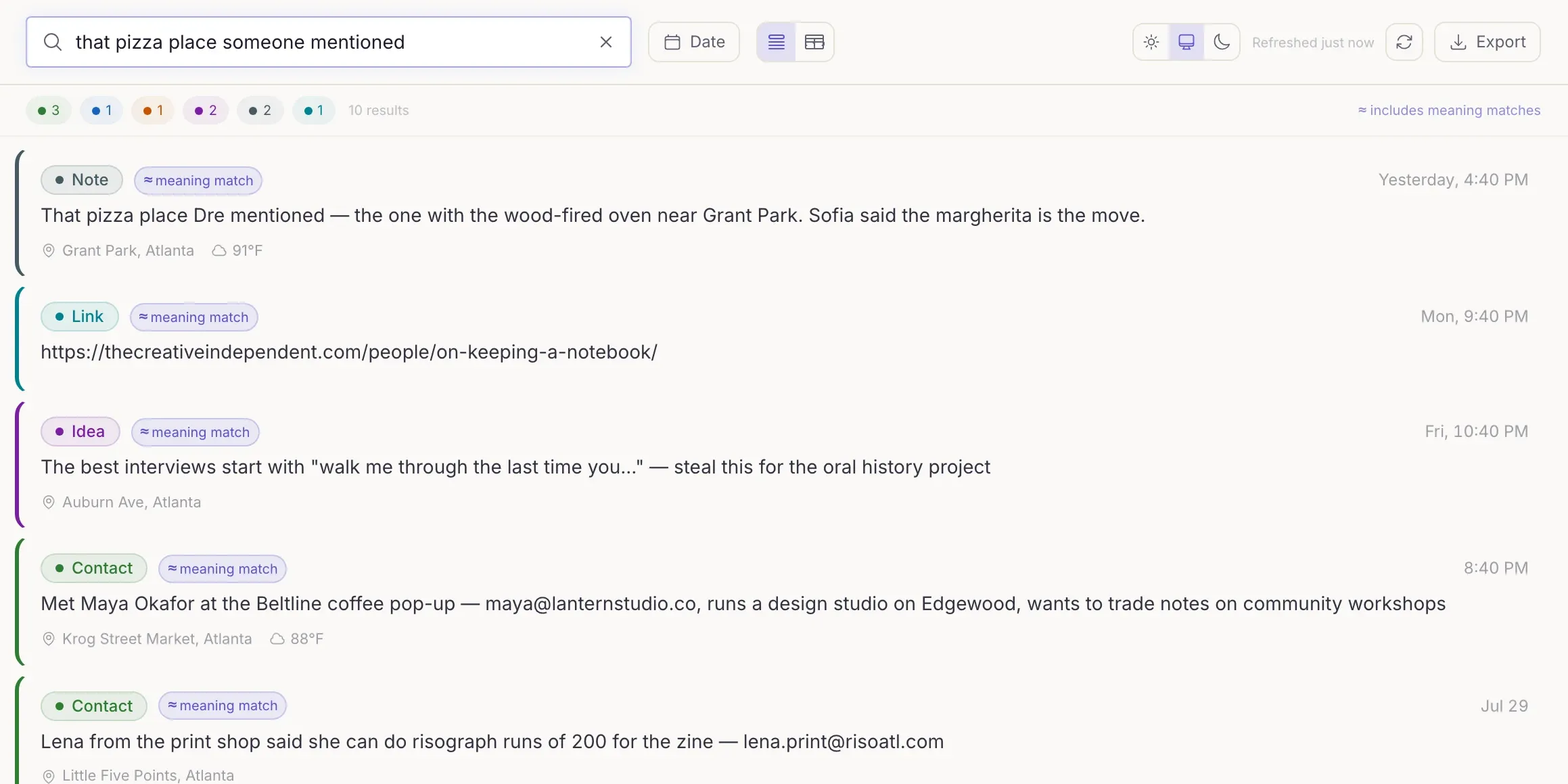
Type the words you remember, or what it was about. Search finds captures by what they mean as well as by their words, so a half-remembered thought still turns up.
Your notes are in four apps, and you stopped filing them.
There is nothing to file. Each thought lands in its place, and the old ones can stay where they are.
Open the web appYou think of things while driving, walking or cooking, and lose them.
Say it into the web app on your phone; it goes on the Home Screen like an app. The iPhone app is coming.
Get on the iPhone listYou built a system in Notion or Obsidian, and keeping it up is a job.
Keep the system for what deserves one. Throw everything else here, and take it all with you whenever you like.
What you can take with youYou want a button, a watch or a Shortcut to send it thoughts.
Anything that can send one web request with a key can capture. A ring already does.
Read the API pageYou are careful about where your words and your places go.
Place is off until you switch it on, captures never train AI models, and the policy names every service.
Read the privacy policyWho it is not for. Long documents, a wiki to design, a team's shared knowledge, or anything that must never leave your own device: BrainCrumb is a service, and its servers read each capture to file it.
In the web app a capture keeps where you were only once you switch that on, and your browser asks you first. Only the coordinates are kept, with the name you give a place.
Software reads each capture to file it and to make search work, on Cloudflare's machines. Your captures are not used to train AI models.
Captures are kept on Cloudflare, sign-in is Clerk, and the privacy policy names every other service and what each one sees.
There are no advertising identifiers and no tracking across other apps or sites. Your data is not sold.
Export everything you have captured, on every plan, in five formats. Delete one thing and it waits in Trash for 30 days. Delete your account yourself, in Settings, and its data goes with it.
Nobody pays during the beta, and every account has the limits of the paid plan. After the beta, Free keeps unlimited capture and export, with 100 AI actions a month. Plus is $5 a month for more.
The web app works today, on a phone too. When the iPhone app ships it will add Siri, a widget and the share sheet, and keep the weather and what you were doing as well as the place. It is not out yet. Leave your email and you will be asked first when its beta opens.
One email, the invitation. No newsletter, and your address is not shared.
Make a free account and type it. It files itself, and everything you save is yours to export.